
Download Remote Wave Free APK – video app, audio player, email attachment, Android, free, utility
Overview
Remote Wave Free is a dedicated Android application designed to simplify the playback of audio attachments found within email messages. Its primary function is to serve as a reliable audio player for email-generated audio files, making it easier for users to access voice messages, recorded notes, and music files directly from their inbox. The app is especially beneficial for professionals who frequently receive voicemails or audio reports from clients, colleagues, or team members via email. By enabling seamless playback of audio content, it enhances workflow efficiency and reduces the need for switching between multiple applications.
The software supports a variety of audio formats, including ULaw (MULaw), GSM6.1, DSP TrueSpeech, and IMA/MS/Dialogic/OKI ADPCM, ensuring broad compatibility with common email attachment types. It is built to integrate smoothly with multiple email platforms, although specific platform names were not listed. The app’s lightweight nature and focus on a single purpose make it ideal for users seeking a streamlined audio playback solution without unnecessary features. Whether used for personal communication, academic purposes, or business tasks, Remote Wave Free provides a focused utility for accessing audio content on the go.
Key Features & Capabilities
- Multi-format audio support – Plays a wide range of audio formats commonly used in email attachments, including ULaw, GSM6.1, DSP TrueSpeech, and ADPCM variants.
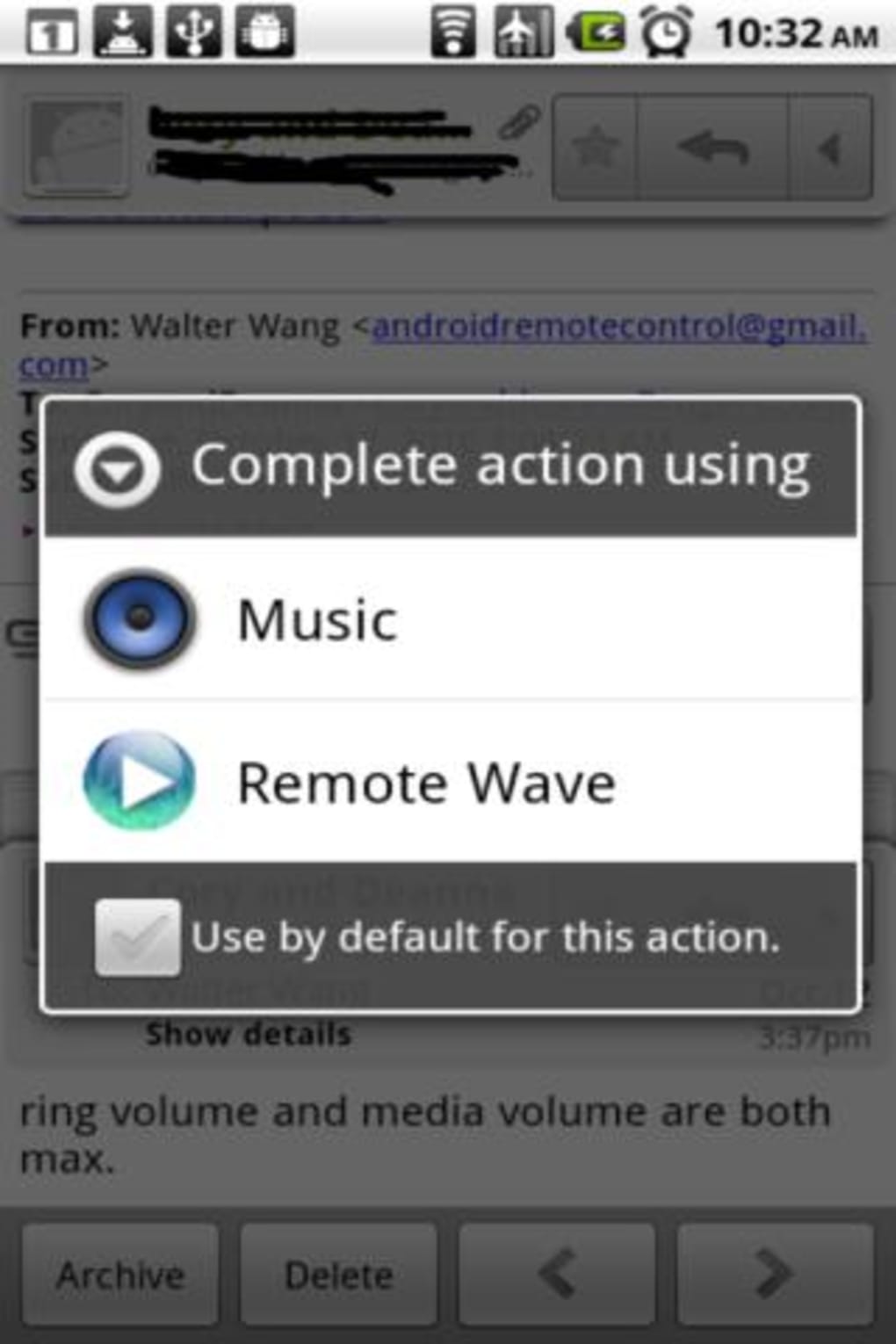
- Email integration – Allows users to open audio attachments directly from their email client by selecting “Open with” and choosing Remote Wave Free.
- Default player functionality – Users can set Remote Wave Free as the default audio player for all audio file types, streamlining future playback.
- Lightweight design – Built with minimal resource usage, making it suitable for devices with limited storage or processing power.
- User-friendly interface – Designed for ease of use, allowing users of all experience levels to quickly access and play audio files.
For example, a business user receiving a voicemail from a client in GSM6.1 format can open the attachment directly in Remote Wave Free without needing to convert or transfer the file. Similarly, a student receiving a recorded lecture in ULaw format can play it immediately. The app’s integration with email platforms ensures a frictionless experience, reducing time spent on file management and increasing productivity.
User Interface, Workflow & Performance
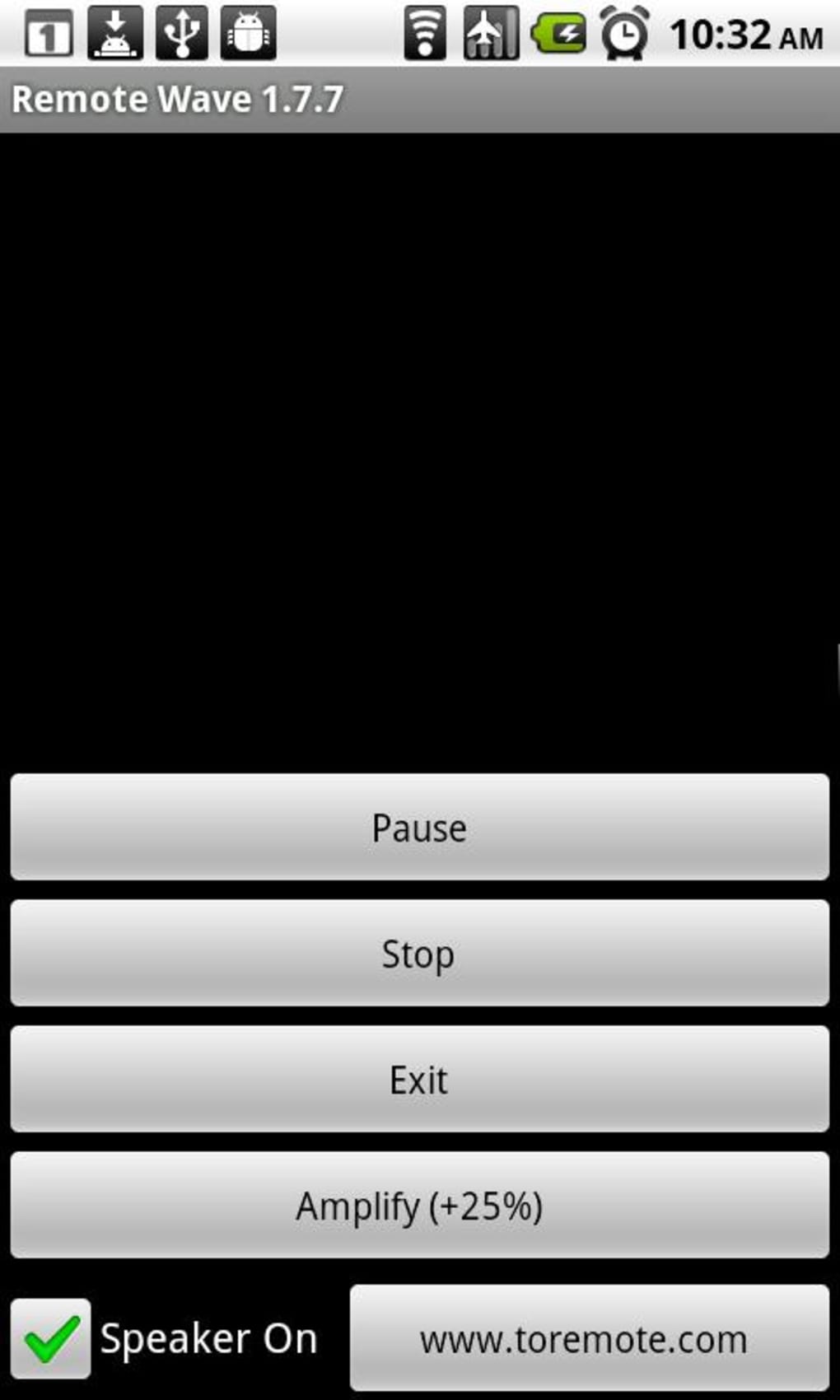
The user interface of Remote Wave Free is designed with simplicity and functionality in mind. It features a clean layout focused on core playback controls such as play, pause, stop, and forward/backward navigation. The interface is intuitive, allowing users to quickly locate and open audio files from their email inbox. Navigation is straightforward, with minimal on-screen clutter and a direct path from file selection to playback.
Workflow efficiency is enhanced by the app’s ability to be set as the default audio player. Once configured, users can tap any audio attachment in their email client and launch playback instantly. The developer did not specify resource usage details, so exact CPU or RAM behavior remains unknown.
However, the app’s lightweight nature suggests it operates efficiently on mid-range Android devices. Stability is expected to be consistent, given its focused functionality and lack of complex background processes. Performance observations are based on general software behavior patterns, as no benchmark data was provided.
Compatibility & System Requirements
Remote Wave Free is designed for Android devices and is available as a free APK download. The specific operating system version requirements were not listed, so compatibility with older or newer Android versions cannot be confirmed. The app’s installation size was not disclosed, but its lightweight design implies a small footprint. The developer did not provide additional system requirements.
Users should ensure their device is running a supported Android version and has sufficient storage space for the app. The app is intended for use with email clients that support file attachment sharing, though specific email platforms were not named. Compatibility information is limited to Android, and no details were provided regarding support for tablets, wearables, or other device types.
Pros and Cons
Pros
- Supports multiple audio formats used in email attachments
- Simple and intuitive user interface
- Seamless integration with email clients via “Open with” option
- Can be set as the default audio player for convenience
- Available for free on the Google Play Store
Cons
- Unsupported formats may not play, depending on device capabilities
- Limited information on system requirements and compatibility
- No advanced audio editing or playback features
- App functionality is restricted to email audio attachments only
- Developer did not provide update frequency or support details
FAQ Section
Is Remote Wave Free available for free?
Yes, Remote Wave Free is available at no cost on the Google Play Store. It does not require a paid subscription or in-app purchases.
Which Android devices can run Remote Wave Free?
The app is designed for Android devices, but specific OS version requirements were not provided. Users should ensure their device meets basic Android compatibility standards.
Can I use Remote Wave Free as my default audio player?
Yes, the app allows users to set it as the default audio player by adjusting settings and selecting it as the preferred application for audio files.
Does Remote Wave Free work with all email platforms?
It supports various email platforms, though specific names were not listed. The app integrates via the “Open with” function, which is standard across most Android email clients.
Is Remote Wave Free safe to download and use?
As a free app available on the Google Play Store, it is distributed through a trusted platform. Users are advised to download only from official sources to ensure security.
Final Thoughts + CTA
Remote Wave Free delivers a focused, reliable solution for users who regularly receive audio attachments in their email. Its ability to handle diverse audio formats and integrate directly with email clients makes it a valuable utility for professionals, students, and everyday users. While it lacks advanced features and detailed system specifications, its simplicity and efficiency stand out. The app excels in its niche—playing audio from emails—without unnecessary complexity.
For anyone seeking a lightweight, free tool to enhance their email audio experience, Remote Wave Free is a practical choice. It reduces friction in accessing voice messages and recordings, contributing to smoother communication and better productivity. Download Remote Wave Free now.





.png)

